 Meshwork
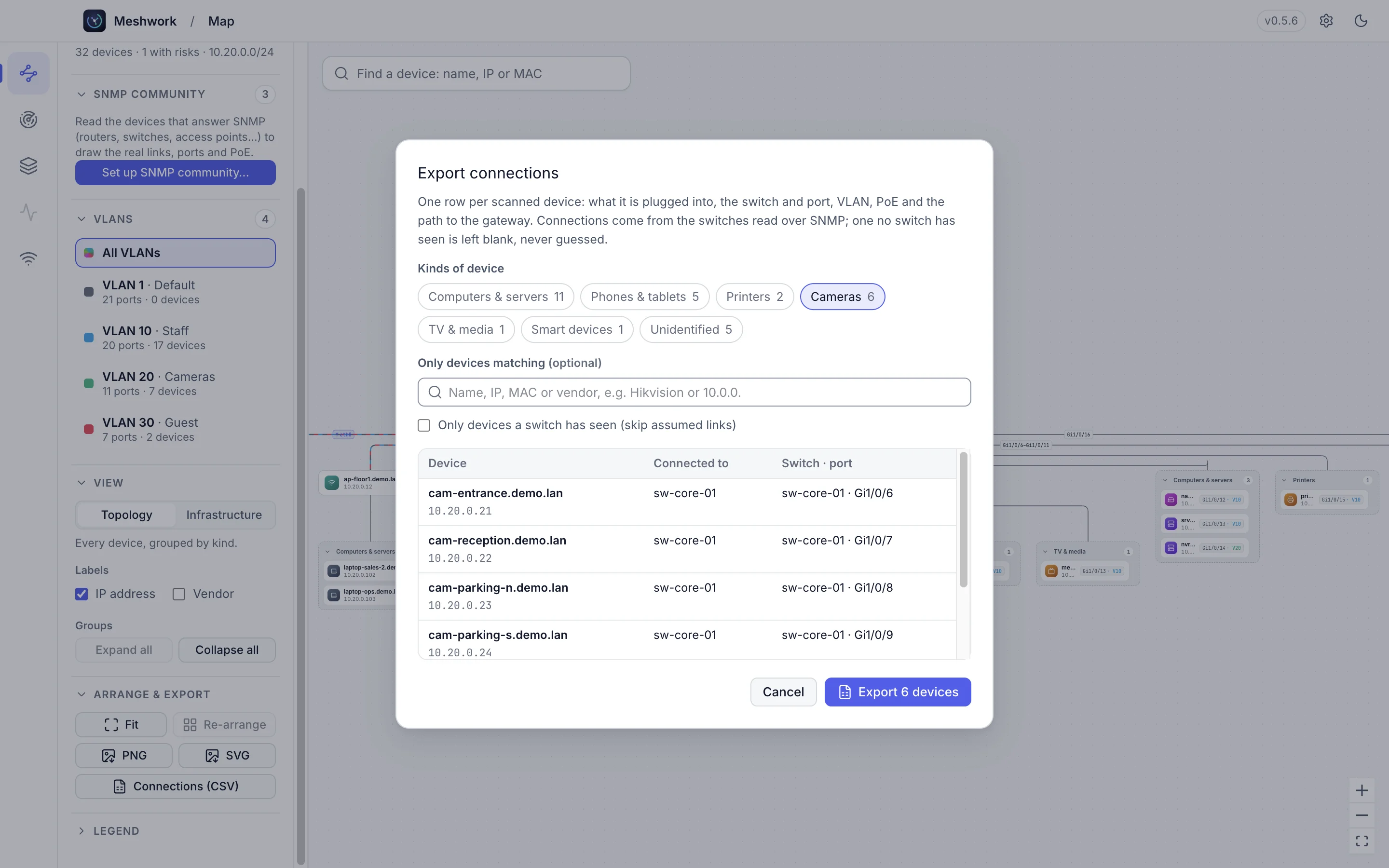
Where is every camera plugged in?
One spreadsheet: device, switch, port, VLAN, PoE and the full path to the gateway, across every switch at once. Blank when no switch has seen a device, never a guess.
$ meshwork scan 10.20.0.0/24
Meshwork scans your network, keeps an inventory of every device and draws the map for you, down to the switch port, VLAN and PoE watts.
An animated scan of a fictional site, Arctic Facility 7, on 10.20.0.0/24: 254 addresses checked, 32 devices found with their open ports, and one risk, a camera with Telnet open.
$ traceroute meshwork
Fast scans of any range: live hosts, open ports, names, makers and a best guess at each device type, with the risks worth fixing.
Every device kept per network across scans: first and last seen, ports, names and risks. Search it, filter it, export it.
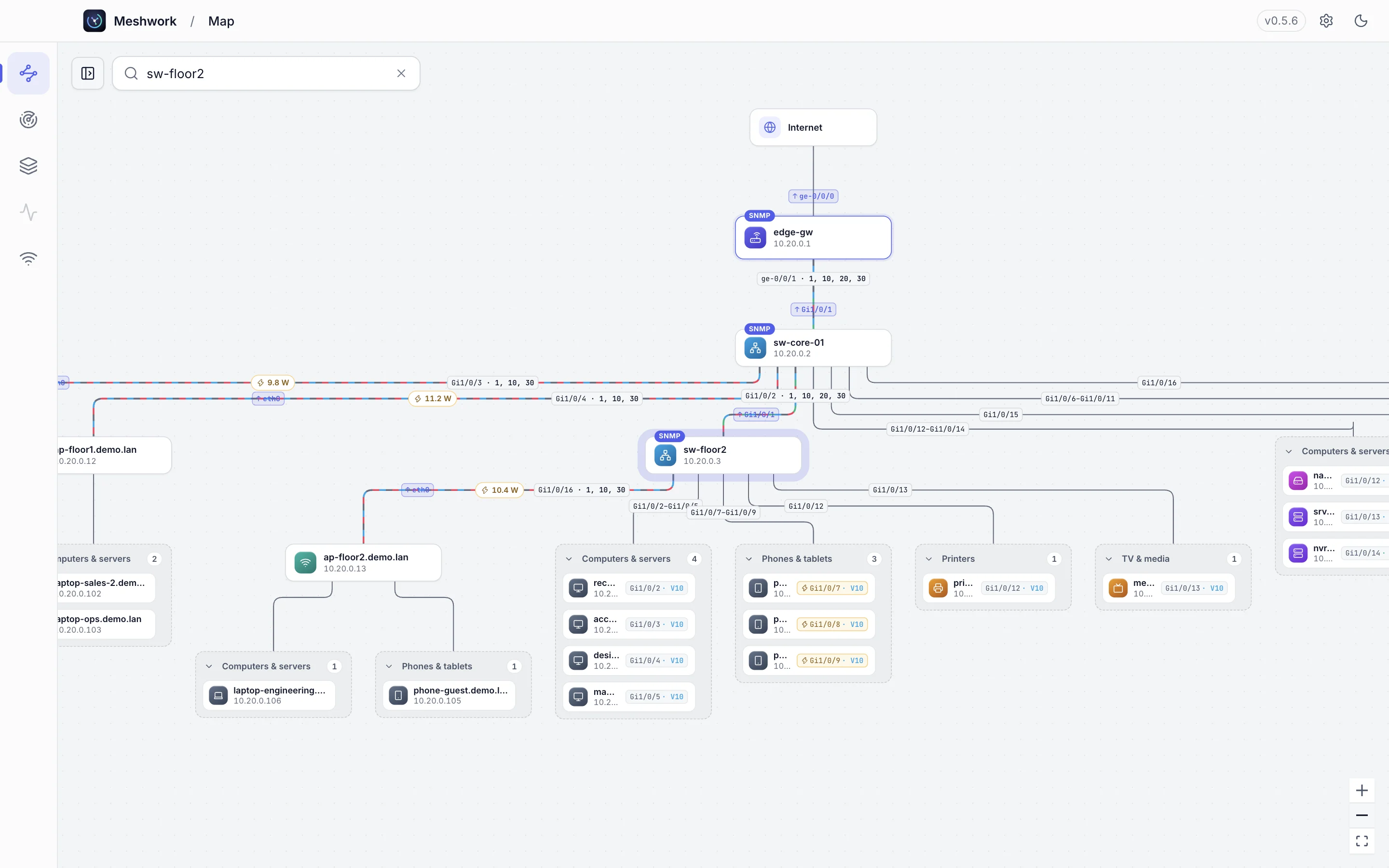
A live diagram drawn from what your switches report: real links, port names, VLANs and PoE, as a topology or an infrastructure view.
The wireless networks around you with channels, bands, signal and security, to pick a clear channel or spot an access point that does not belong.
Uptime, latency and alerts for the devices that matter. Request timed out, for now.
Give Meshwork a read-only SNMP community. It reads your routers and managed switches and puts every device on the port it is really plugged into.
One spreadsheet: device, switch, port, VLAN, PoE and the full path to the gateway, across every switch at once. Blank when no switch has seen a device, never a guess.
A type, a maker, the open services and a plain note on anything worth fixing, like Telnet left open on a camera. One click opens SSH, the web page or Remote Desktop.
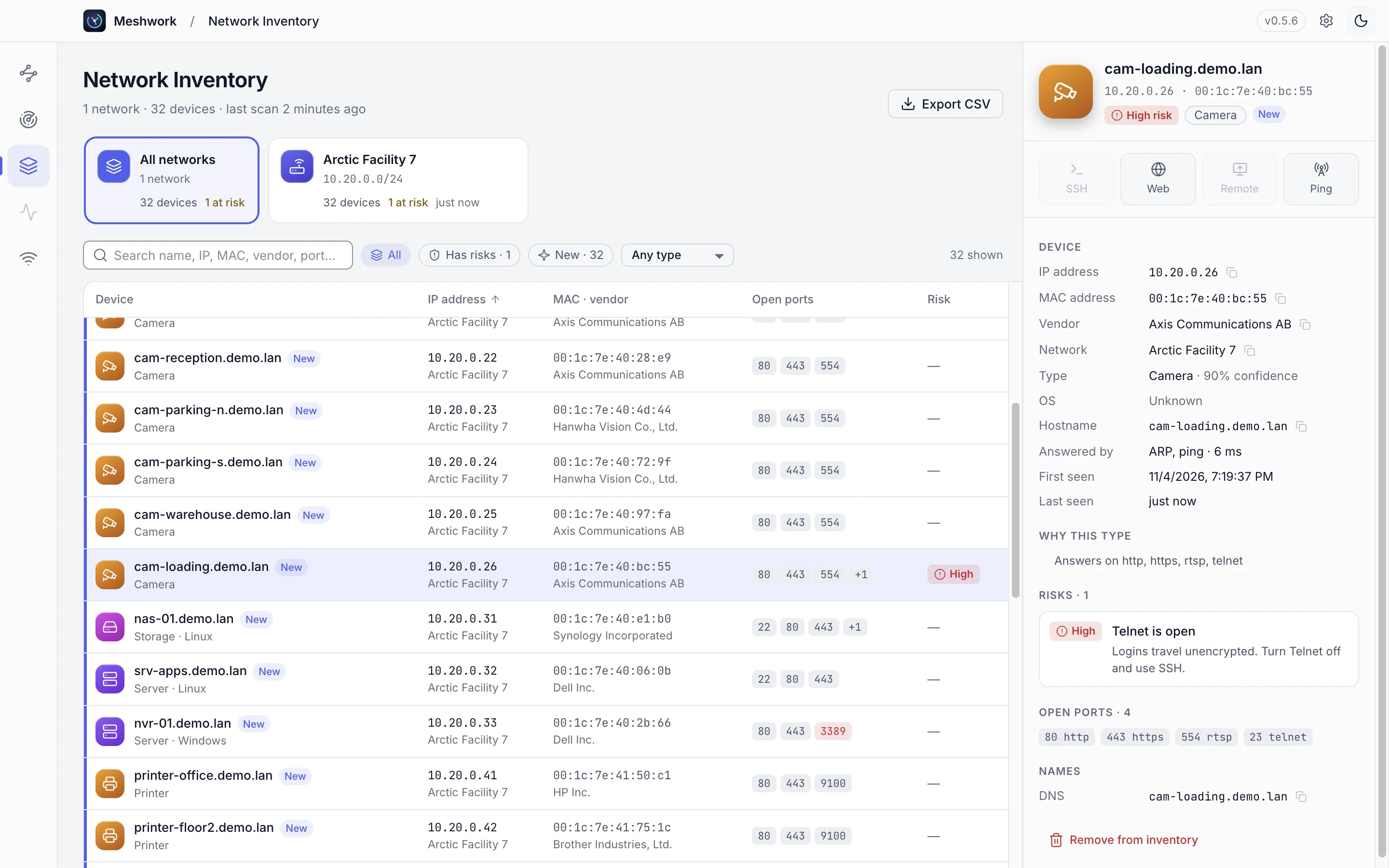
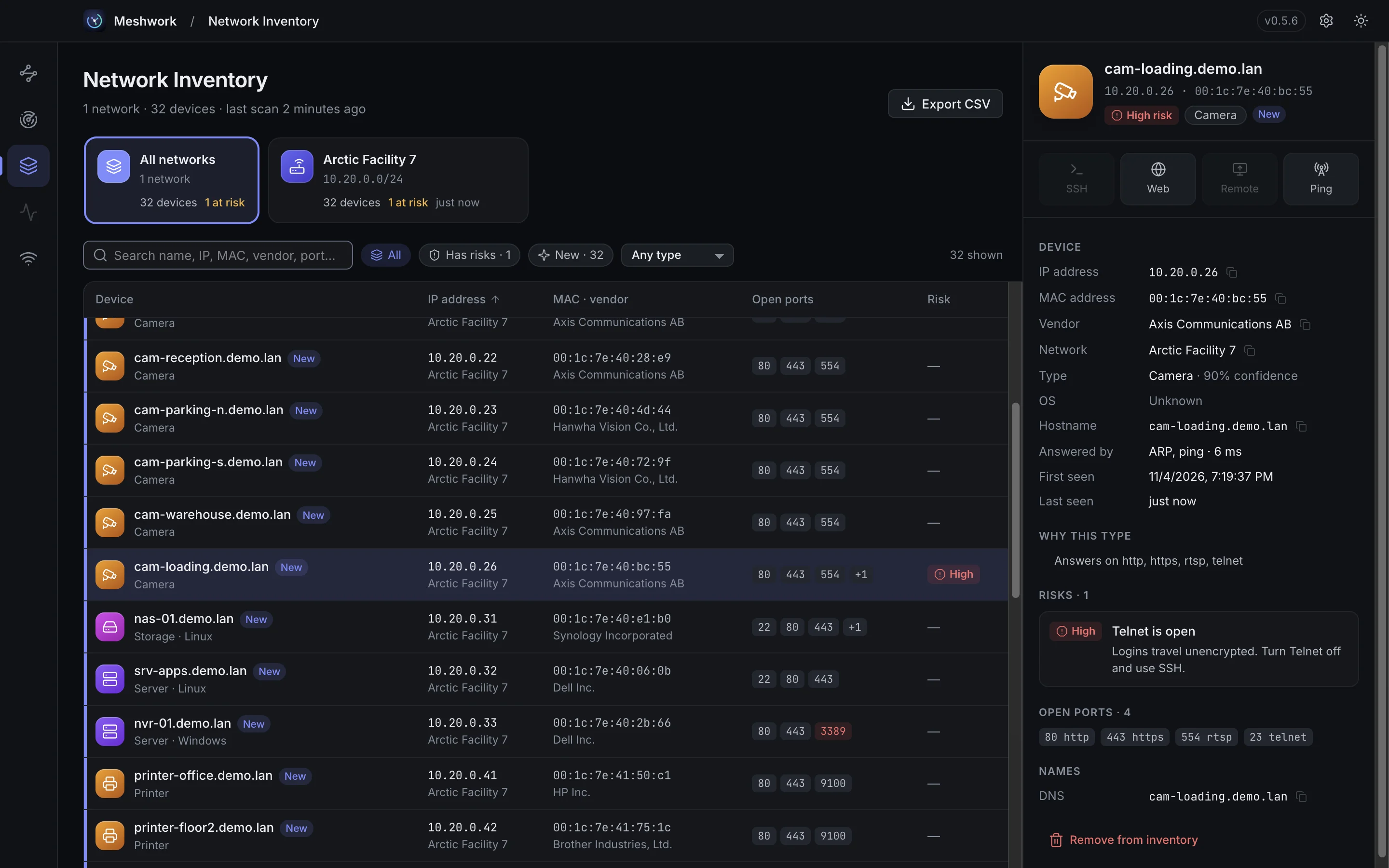
Drag to compare the light and dark themes.
Scans, inventories, maps and SNMP communities are stored locally. This is everything Meshwork ever sends out:
The last rule is a switch in Settings → Privacy. Read the privacy notice.
Tell us who you are and pick your download. We only write about Meshwork updates.
Thanks, there. Meshwork is yours.
On Windows, if a blue “Windows protected your PC” screen appears, choose More info, then Run anyway.
Lease time 6:00:00. The links stop working after that; come back for fresh ones.